
How to Write High-Converting Google Ads Headlines
Table of Contents
- Why Google Ads Headlines Make or Break Your Campaign
- Step 1: Match Your Headline to Search Intent
- Step 2: Use Proven Copywriting Formulas for Ad Copy
- Step 3: Follow Responsive Search Ad Headline Best Practices
- Step 4: Stay Within the Google Ads Headline Character Limit
- Step 5: Write Persuasive Descriptions and Calls to Action
- Google Ads Headline Examples That Convert
- How to Test Google Ads Headlines for Better Results
- Common Headline Mistakes and How to Avoid Them
- Conclusion: Start Writing Headlines That Drive Conversions
- Frequently Asked Questions
Last Updated: October 12, 2026
Why Google Ads Headlines Make or Break Your Campaign
Your Google Ads headline is the first thing a searcher reads, and it decides whether they click or scroll past. At Outta The Box Marketing, we have watched that single line of text swing click-through rates more than almost any other part of a campaign. Learning how to write high converting google ads headlines is less about being clever and more about being clear, relevant, and fast.
Here is the part most guides get wrong: they treat the headline as a place to describe your business. Searchers do not care about your business yet. They care about whether you solve their problem. Google’s own guidance on responsive search ads makes this clear. Relevance wins. Everything else is decoration.
So why does one headline outperform another? Three reasons:
- It matches what the person actually typed.
- It states a clear benefit or offer.
- It earns the click without tricks or hype.
We have been in this game since Google first rolled out search ads, and the fundamentals have barely moved. The format changed. The psychology did not.
Below, we will walk through five steps for writing google ads headlines that convert, plus examples, testing methods, and the mistakes that quietly kill performance.
Step 1: Match Your Headline to Search Intent
Search intent is the reason someone typed a query, and your headline should answer it in the first three words. If someone searches “emergency plumber near me,” a headline about your friendly family-owned team misses the point. A headline about same-day service hits it.
Google sorts intent into a few buckets, and your headline should shift with each one:
- Informational: the searcher wants to learn something.
- Commercial: the searcher is comparing options.
- Transactional: the searcher is ready to buy.
- Navigational: the searcher wants a specific brand.
For transactional queries, lead with the action. For commercial queries, lead with the differentiator. For informational queries, lead with the answer.
A common mistake is writing one headline and running it against every keyword in the ad group. That flattens your relevance score. Instead, build your headline groups around intent, so each ad speaks to one mindset.
Group your keywords by intent before you write a single headline. When every ad group has one clear intent, your headlines practically write themselves, and your quality score tends to climb with them.
Step 2: Use Proven Copywriting Formulas for Ad Copy
Copywriting formulas are reusable structures that keep your ad copy persuasive without sounding forced. They give you a starting point, so you are not staring at a blank box every time.
The classics still work:
- AIDA: Attention, Interest, Desire, Action.
- PAS: Problem, Agitation, Solution.
- BAB: Before, After, Bridge.
- 4 Ps: Promise, Picture, Proof, Push.
Here is how AIDA looks in a headline. “Struggling With Slow Wi-Fi?” grabs attention. “Fast, Reliable Internet” builds interest. “Switch in 5 Minutes” creates desire. “Get Started Today” drives action.
You do not need to cram all four into one headline. Use the formula to guide the angle, then let the headline carry one piece of it. The formula is scaffolding, not a script.
What most guides miss is that formulas fail when the offer is weak. A perfect AIDA headline cannot save a boring promotion. Fix the offer first, then dress it up.
Step 3: Follow Responsive Search Ad Headline Best Practices
Responsive search ads let you supply multiple headlines and descriptions, and Google mixes and matches them to find the best combination. That flexibility is powerful, but only if you understand the asset requirements and the mechanics behind them.
Start with the current asset specifications. A responsive search ad accepts up to 15 headlines and up to 4 descriptions. Each headline is capped at 30 characters, and each description is capped at 90 characters. You need a minimum of 3 headlines and 2 descriptions for the ad to serve, but running at the minimum is a mistake. Google’s own guidance on responsive search ads recommends filling out as many assets as you can, because more distinct assets give the system more combinations to test and more chances to match a query.
Here is what that looks like in practice:
- Headlines: up to 15, 30 characters each. Aim for 10 to 15 distinct angles.
- Descriptions: up to 4, 90 characters each. Aim for all 4.
- Minimum to serve: 3 headlines and 2 descriptions. Treat this as a floor, not a target.
- Combinations: the system can assemble headlines and descriptions in many orders, so every asset must stand alone.
That last point is the one most writers miss. Because Google may show any headline in any position, a headline that only makes sense next to another one will eventually appear alone and read like a fragment. Write each headline as a complete thought.
Pinning: When to Use It and What It Costs You
Pinning lets you lock a headline to a specific position, position 1, 2, or 3, so the system always shows it there. It is useful when you have a legal or brand requirement, or when a specific offer must always lead. But pinning has a real trade-off: it reduces the number of combinations the system can test, which can limit performance over time.
A practical approach:
- Pin only when you have a hard reason, such as a compliance requirement or a headline that must always appear first.
- Pin one headline to one position, not several. Over-pinning strangles the ad.
- If you pin, fill the remaining positions with unpinned assets so the system still has room to optimize.
- Test pinned versus unpinned versions of the same ad to see whether the constraint is actually helping.
Most practitioners find that light pinning, one asset, one position, preserves flexibility while still enforcing the requirement. Heavy pinning across multiple positions is where ads start to underperform.
Build for Distinct Angles, Not Variations
Do not treat the headline list as a place to stuff keywords or reword one idea fifteen ways. Each headline should carry a different angle: benefit, feature, offer, urgency, trust, price, speed, guarantee. When the system tests them together, you learn which angle your audience responds to.
A quick structure that works:
- Two to three headlines with your main keyword.
- Two to three benefit-led headlines.
- One to two offer or promotion headlines.
- One to two urgency headlines.
- One to two trust or proof headlines.
- One to two question or problem-led headlines.
Vary the opening word across headlines so the ad does not read like a chant when assets combine. And keep the language plain. The system rewards relevance and clarity, not cleverness.
Do not write fifteen headlines that all say the same thing in different words. Google needs genuinely different angles to test, or your “testing” produces noise instead of insight. The same rule applies to descriptions, four near-identical descriptions waste the space.
Our team has been working in the digital marketing space since Google first started search ads, and the asset counts and character limits have shifted over the years. The principle behind them has not: give the system distinct, standalone assets, and it will find the combinations that convert.
Step 4: Stay Within the Google Ads Headline Character Limit
The Google Ads headline character limit is 30 characters per headline, and that limit is not a suggestion. Go over it and your headline will not run. This constraint forces clarity, which is honestly a gift.
Thirty characters is roughly five or six short words. That means every word has to earn its place. Cut filler like “very,” “really,” and “in order to.”
A quick way to check your work:
- Count characters, not words.
- Trim the weakest word first.
- Swap long words for short ones.
- Read it out loud to catch awkward phrasing.
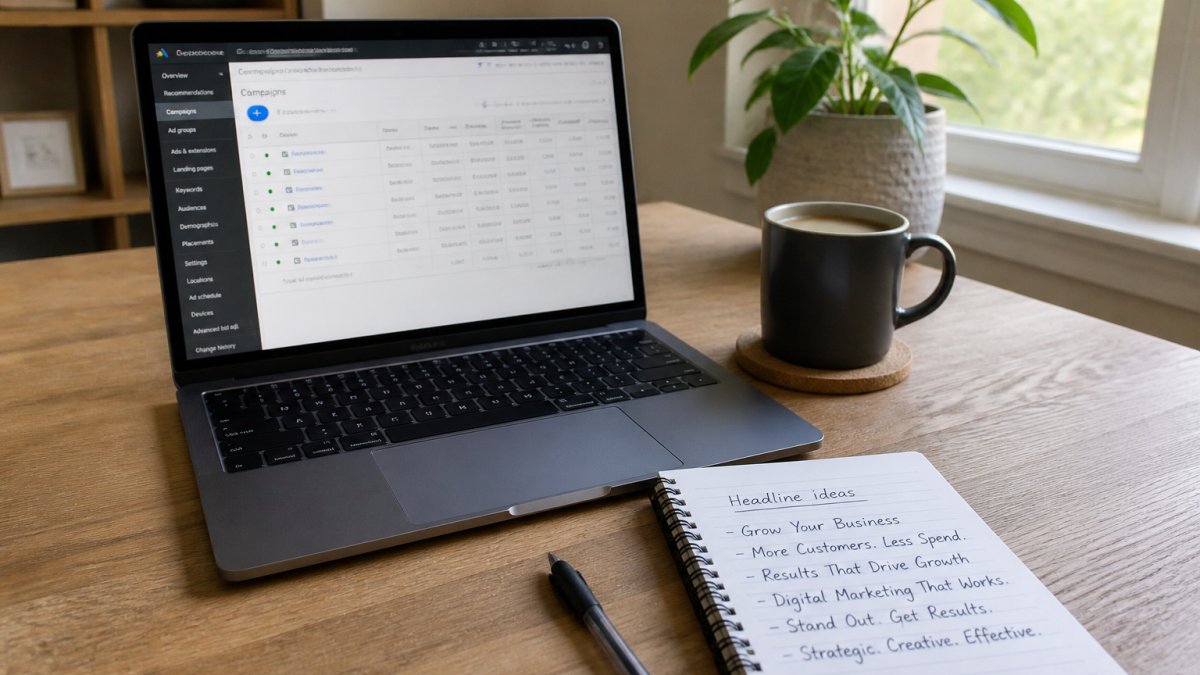
If you are stuck, write the long version first, then cut it down. Starting short often produces vague headlines. Starting long and trimming keeps the meaning intact.
Step 5: Write Persuasive Descriptions and Calls to Action
Your description expands on the headline, and your call to action tells the searcher what to do next. Together they close the gap between interest and a click.
Descriptions give you more room, so use it to add proof. Include a specific benefit, a trust signal like a testimonial or rating, and a clear next step. Do not waste the space repeating the headline.
Strong calls to action are specific. “Get Your Free Quote” beats “Learn More.” “Book a 15-Minute Call” beats “Contact Us.” The more concrete the action, the easier it is to say yes.
A few rules for persuasive ad copy:
- Lead with the benefit, not the feature.
- Add one trust signal per ad.
- Match your call to action to the landing page.
- Keep the tone human, not robotic.
If your headline promises fast service and your landing page buries the contact form, you lose the click you paid for. Headlines and landing pages have to agree.
Google Ads Headline Examples That Convert
The best way to learn is to see real patterns in action. Here are google ads headline examples you can adapt to your own campaigns.
| Industry | Headline | Why It Works |
|---|---|---|
| Home services | Same-Day AC Repair | Matches urgent intent |
| SaaS | Try Free for 14 Days | Clear, low-risk offer |
| Retail | 50% Off Summer Styles | Specific promotion |
| Legal | Free Case Review Today | Removes friction |
| Fitness | First Class Is On Us | Low-commitment trial |
Notice the pattern. Each headline states a benefit or offer in plain language. None of them try to be cute.
Adapt these by swapping in your own offer, your own timeframe, and your own trust signal. The structure travels across industries. The specifics do not.
How to Test Google Ads Headlines for Better Results
Testing is how you find out which headline actually converts, instead of guessing. But responsive search ads complicate the classic A/B test, because the system is already mixing your assets and optimizing on its own. A repeatable methodology beats random tweaking every time.
Understand What You Are Actually Testing
In a responsive search ad, you are not running two headlines head-to-head in isolation. You are feeding the system a pool of assets and letting it decide which combinations to show. That means your test is really about the pool, not a single line. Two implications follow:
- Adding a new headline changes the whole pool, not just one variable.
- Removing a headline can shift performance across the ad, not only for that asset.
So the cleanest tests come from controlled changes to the pool, run long enough for the system to gather data on the new combination set.
A Repeatable Testing Process
- Pick one variable. Opening word, offer type, benefit angle, or urgency level. One at a time.
- Change only that variable. Swap one headline for a new one that differs only in that dimension. Leave the rest of the pool intact.
- Run for a meaningful evaluation period. A few hours is not a test. Most practitioners let a test run at least one to two weeks, and longer if traffic is low, so the system has time to rotate assets and gather conversions.
- Watch conversion-focused metrics, not just click-through rate. CTR tells you what earns clicks. Conversion rate tells you what earns customers. A headline can win on CTR and lose on conversions, and that is the trap most advertisers fall into.
- Check the asset-level reporting. Google Ads shows performance ratings for individual headlines and descriptions, including whether an asset is low, good, or best. Use those ratings as a signal, not a verdict.
- Keep the winner and test the next variable. Then repeat.
Cautions About Drawing Conclusions Too Early
Small data lies. A headline that looks like a winner after 20 clicks may be noise. Before you declare a winner, ask:
- Do I have enough conversions to compare, not just enough clicks?
- Has the test run through a full weekly cycle, including weekend behavior?
- Did anything else change during the test, budget, bids, landing page, seasonality?
- Is the difference large enough to matter, or is it within normal variation?
If the answer to any of these is no, keep the test running or treat the result as directional rather than final.
Test the Headline and the Landing Page Together
A headline test that ignores the landing page can mislead you. If a headline promises same-day service and the landing page buries the booking form, the headline may look like a loser when the real problem is the page. Message match between query, headline, offer, and landing page is part of the test, not separate from it.
A practical pattern is to test headline and landing-page combinations as a unit when you suspect the mismatch is the issue. If a headline wins on CTR but the page converts poorly, the headline is doing its job and the page is not.
Test one variable at a time, run each test long enough to produce reliable conversion data, and judge headlines on conversions rather than clicks alone. Clean tests tell you what works. Messy tests just tell you something changed.
Our team has been working in the digital marketing space since Google first started search ads, and the testing discipline has stayed the same even as the ad formats changed. The advertisers who win are the ones who test deliberately and wait for real data before they decide.
Common Headline Mistakes and How to Avoid Them
Most underperforming headlines share the same handful of flaws, and each one is fixable.
Watch for these:
- Keyword stuffing: cramming keywords until the headline stops making sense.
- Vague promises: “Best Service Around” says nothing specific.
- Ignoring the offer: no reason for the searcher to click now.
- All caps: looks spammy and can trigger disapproval.
- Headline and landing page mismatch: the promise breaks on arrival.
Fix each by asking one question: would a real person say this out loud? If not, rewrite it.
Another quiet killer is repetition. If every headline starts with your brand name, you waste the most valuable space in the ad. Save the brand for later and lead with the benefit.
Conclusion: Start Writing Headlines That Drive Conversions
The gap between a headline that flops and one that converts usually comes down to relevance, clarity, and a clear offer. Get those three right, and the rest follows. Our team has been working in the digital marketing space since Google first started search ads, and we have seen these fundamentals hold up year after year.
If you would rather hand the work to people who live and breathe this stuff, Outta The Box Marketing can help. We offer full-service Google Ads management, continuous strategy refinement, and a data-driven approach that ties your spend to real results. We also pair your search campaigns with website retargeting direct mail, so the visitors who leave without buying still hear from you. And because strong headlines only pay off when people can find you in the first place, our Google Local Search Ranking service helps your business show up in the local results that feed your campaigns.
Explore Our Services and let us build headlines that do more than get clicks.
Frequently Asked Questions
How many headlines can you add to a responsive search ad?
Google allows up to 15 headlines per responsive search ad. You can also add up to 4 descriptions. Google mixes and matches these assets to show the combinations most likely to perform well for each search. Providing all 15 headlines gives the system more options to test and optimize, which can improve your ad’s performance over time. Aim for variety in messaging, length, and keyword usage.
What is the character limit for a Google Ads headline?
The Google Ads headline character limit is 30 characters per headline. This applies to responsive search ads, the most common ad type. Descriptions allow up to 90 characters each. Staying within these limits ensures your ads display fully without truncation. Use the character count tool in Google Ads or a simple word processor to check your headlines before publishing.
Should Google Ads headlines include keywords?
Yes, including relevant keywords in your headlines improves ad relevance and can boost your click-through rate. When your headline matches what someone searched for, they are more likely to click. Use the exact keyword in at least one headline and include close variations in others. This also helps Google understand your ad’s relevance, which can lead to better ad placement and lower costs.
How can you test Google Ads headlines effectively?
To test Google Ads headlines, use responsive search ads and let Google rotate your assets. After collecting enough data (typically 2-4 weeks), review which headlines have the best click-through and conversion rates. You can also run A/B tests by creating two ads with different headlines and splitting your budget evenly. Focus on one variable at a time, such as emotional appeal versus a direct offer, to isolate what works.